
Specialist replies & notifications
How you hear back when an Onyx specialist answers your question — in the chat, in notifications and by email.
When an Onyx specialist answers a question you flagged, or one Maya handed off, you're told in three places.
1. In the conversation
The reply appears under the original answer, as a card headed Reviewed by an Onyx specialist — visibly different from Maya's own replies.
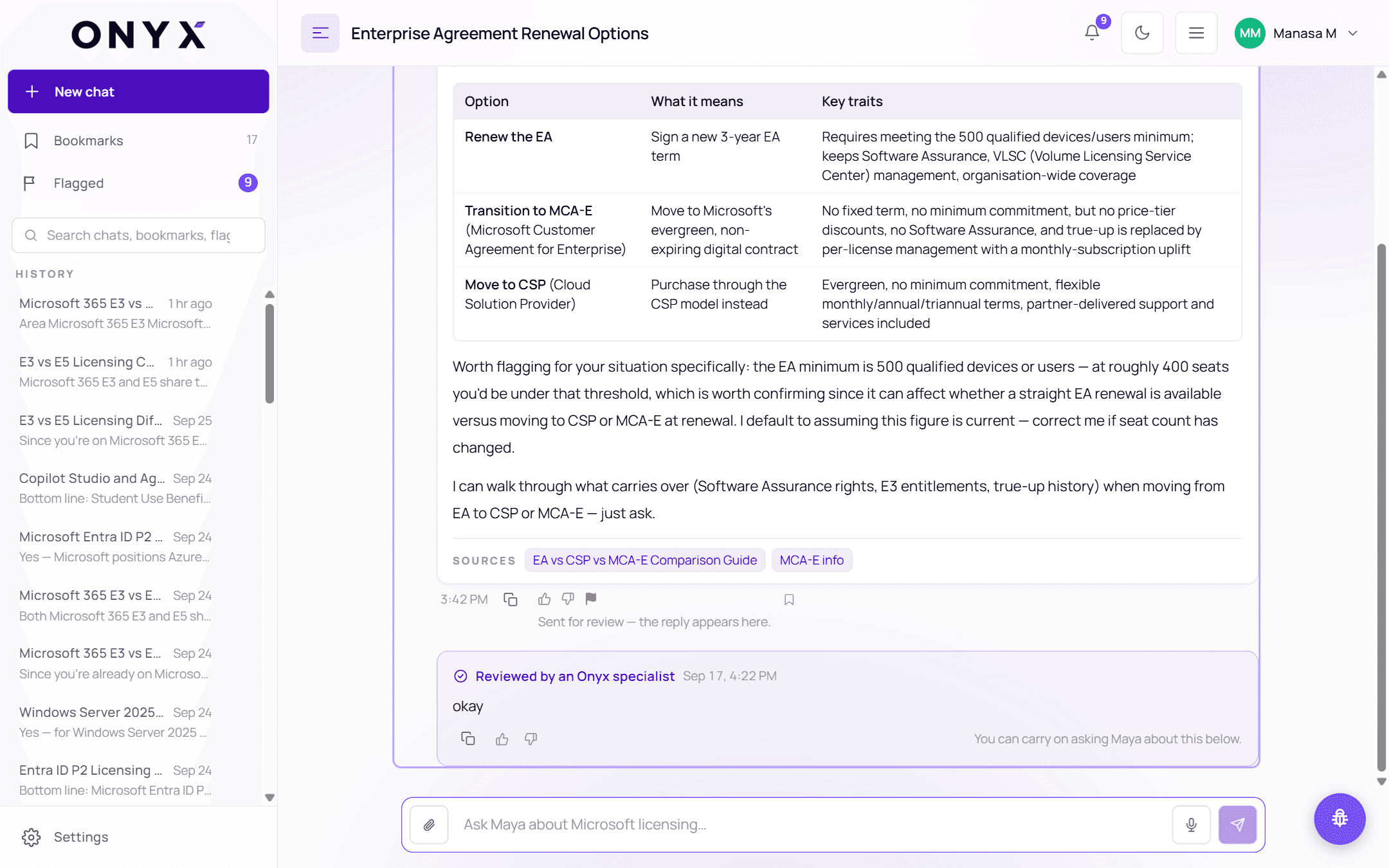
Rate it:
| Button | Effect |
|---|---|
| 👍 This helped | Tells the specialist it answered your question |
| 👎 This still doesn't answer it | Sends it back for another look — the ticket reopens |
You can keep asking Maya about the topic in the same conversation below the card.
The specialist's reply is kept even if you delete the conversation — you can still read it from the Flagged panel.
2. In notifications
- A pop-up appears in the corner — for example "12 answers from our specialists" — with Read them to open Flagged, or Later to dismiss it.
- The 🔔 Notifications bell shows an unread dot. Open it to see entries such as "Your flagged question was resolved" or "Your feedback has been reviewed". Use Mark all read, or View all in Flagged.
- The Flagged item in the sidebar shows how many replies are waiting.
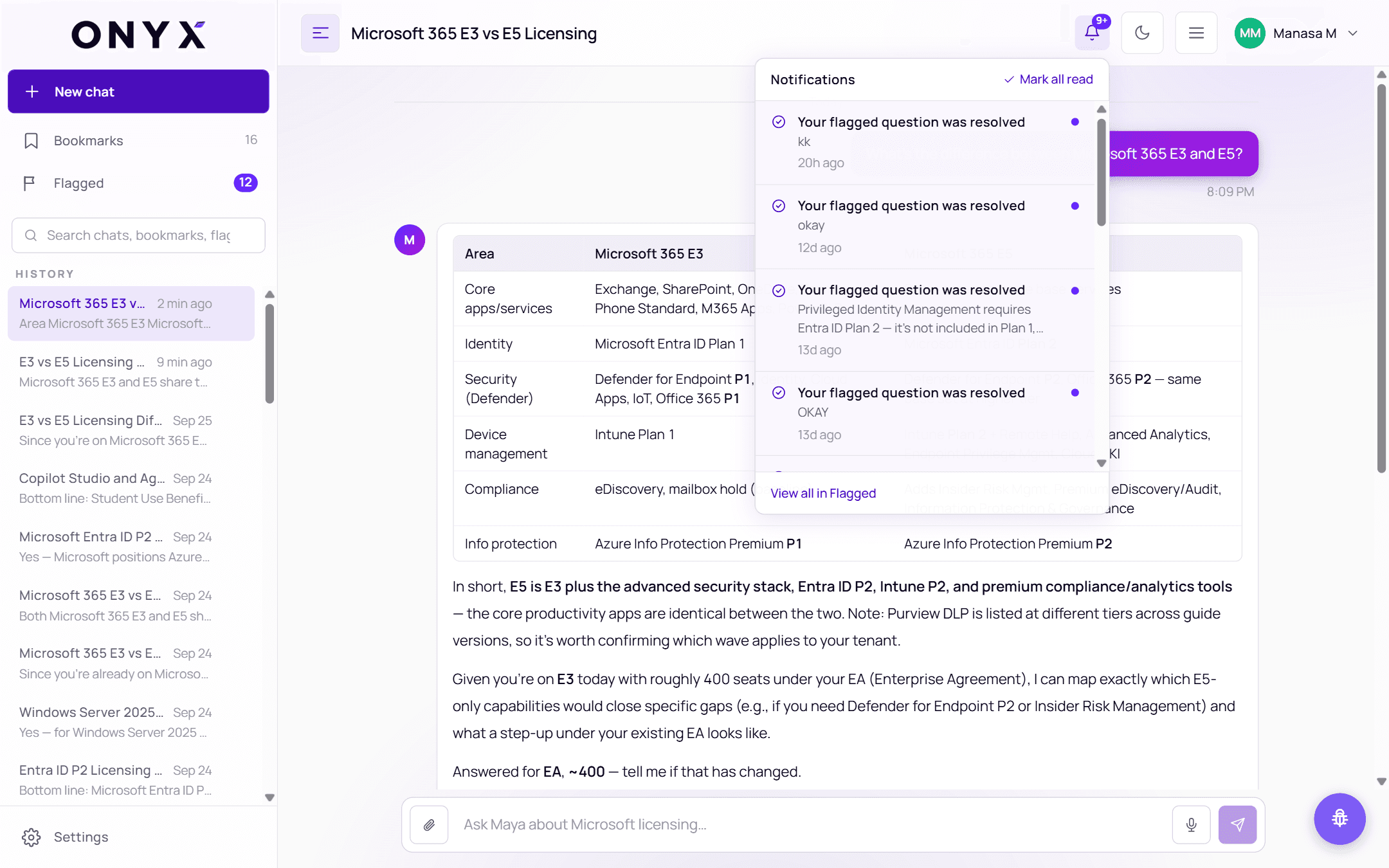
Notifications refresh every minute, and whenever you come back to the tab.
3. By email
You get an email with a copy of the specialist's answer and a link that opens SupportHub on exactly that answer. If the specialist later sends a correction, you get another email saying so.
Replying
To follow up, open the ticket in Flagged and add a comment, or keep asking Maya in the conversation. Replies to the notification email don't reach the specialist.