
Bookmarks
Save answers you'll need again, add notes, and know when a saved answer may be out of date.
Bookmark an answer
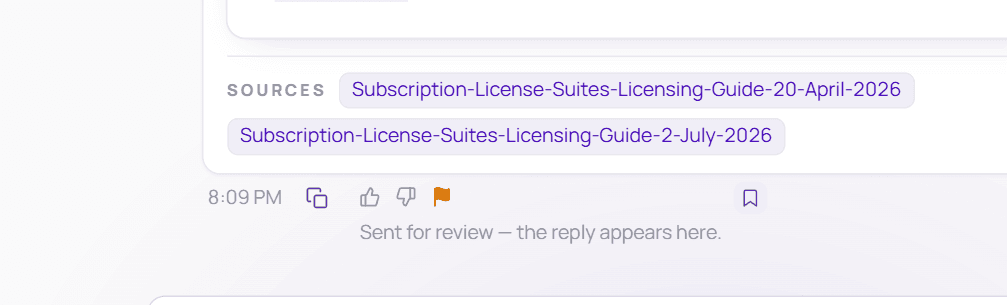
Click the bookmark icon
Under the answer, click 🔖 Bookmark this answer — the last icon in the row, on the right.
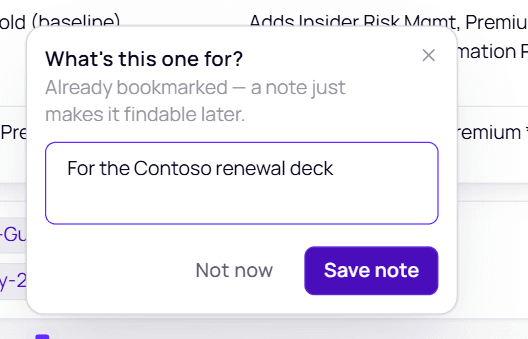
Add a note (optional)
A small panel opens: What's this one for? — Already bookmarked — a note just makes it findable later. Type a note in Add a note…, such as "For the Contoso renewal deck", then choose Save note (or press Ctrl/⌘+Enter).
Don't need a note? Choose Not now or click anywhere else — the answer is still bookmarked.
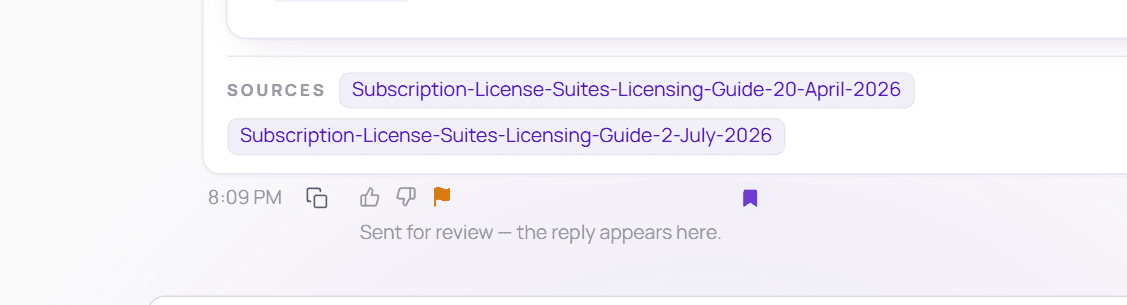
It's saved
The bookmark icon fills in — "Bookmarked — kept even after this chat is deleted".
Find it in Bookmarks
Open Bookmarks in the sidebar. Your new bookmark is at the top — Bookmarked today — with your note under the question.
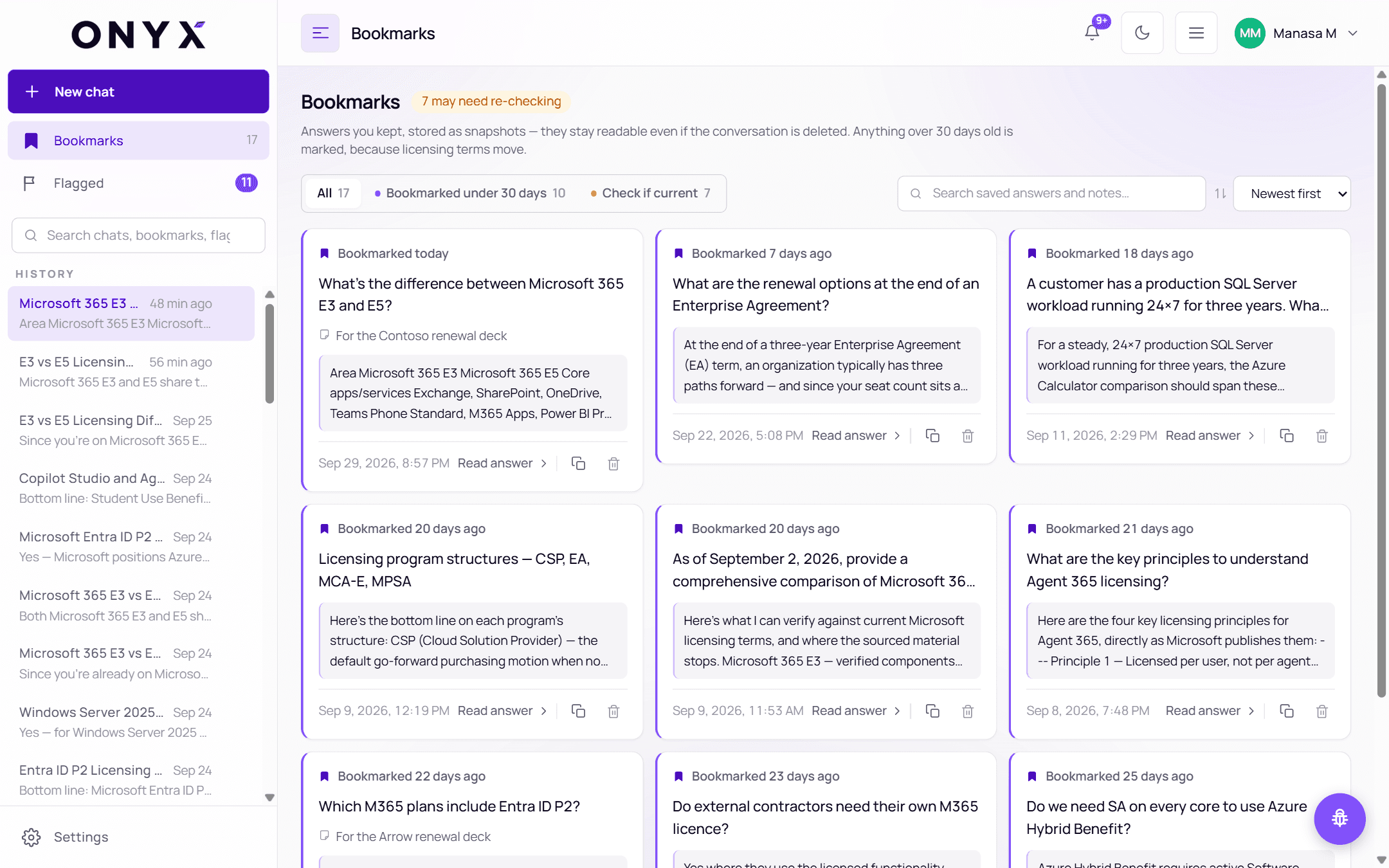
To add or change a note later, click the filled bookmark icon under the answer again.
A bookmark is a snapshot of the question and answer. It stays even if you delete the conversation it came from.
Your bookmarks
Open Bookmarks in the sidebar — the number beside it is how many you have.
Answers you kept, stored as snapshots — they stay readable even if the conversation is deleted. At the top, a badge tells you how many may need re-checking.
- Filter to All, Bookmarked under 30 days or Check if current — each shows its count
- Search saved answers and notes…
- Sort by Newest first or Oldest first
Each card shows how long ago you bookmarked it, the question, your note (if you added one), the start of the answer and the date. Its actions:
| Action | Does |
|---|---|
| Read answer | Opens the full saved answer and your note, with Open in the conversation |
| Copy | Copies the answer |
| 🗑 Delete | Removes the bookmark, after you confirm |
"Check if current"
Anything bookmarked more than 30 days ago is marked check if current — licensing terms may have changed since. Before relying on an older bookmark, ask Maya the question again, or flag the answer for a specialist.
Removing a bookmark
Click 🗑 on the bookmark's card, or Remove when reading it. You'll be asked to confirm: "Delete this bookmark? The saved copy of the answer goes with it."
From Claude or ChatGPT
If you've connected SupportHub, your AI assistant can list and read your bookmarks too.