
History & search
Find past conversations, delete ones you no longer need, and search everything at once.
Your conversations
Every chat is saved to your account and listed in the sidebar, newest first, grouped by day — Today, Yesterday, and so on. Click one to reopen it and carry on where you left off.
Start a new one with New chat. Maya treats each conversation separately, so start a new chat when you change topic.
Your history follows your account — it's the same on any computer or phone you sign in from.
Deleting a conversation
Hover a conversation and click 🗑 Delete conversation, then confirm.
Deleting a conversation doesn't delete:
- your bookmarks from it
- your flagged tickets or the specialists' replies
Search
Search your conversations, bookmarks and flagged answers in one go.
- Type in Search chats, bookmarks, flags at the top of the sidebar, or
- press ⌘/Ctrl+K to jump to the search box.
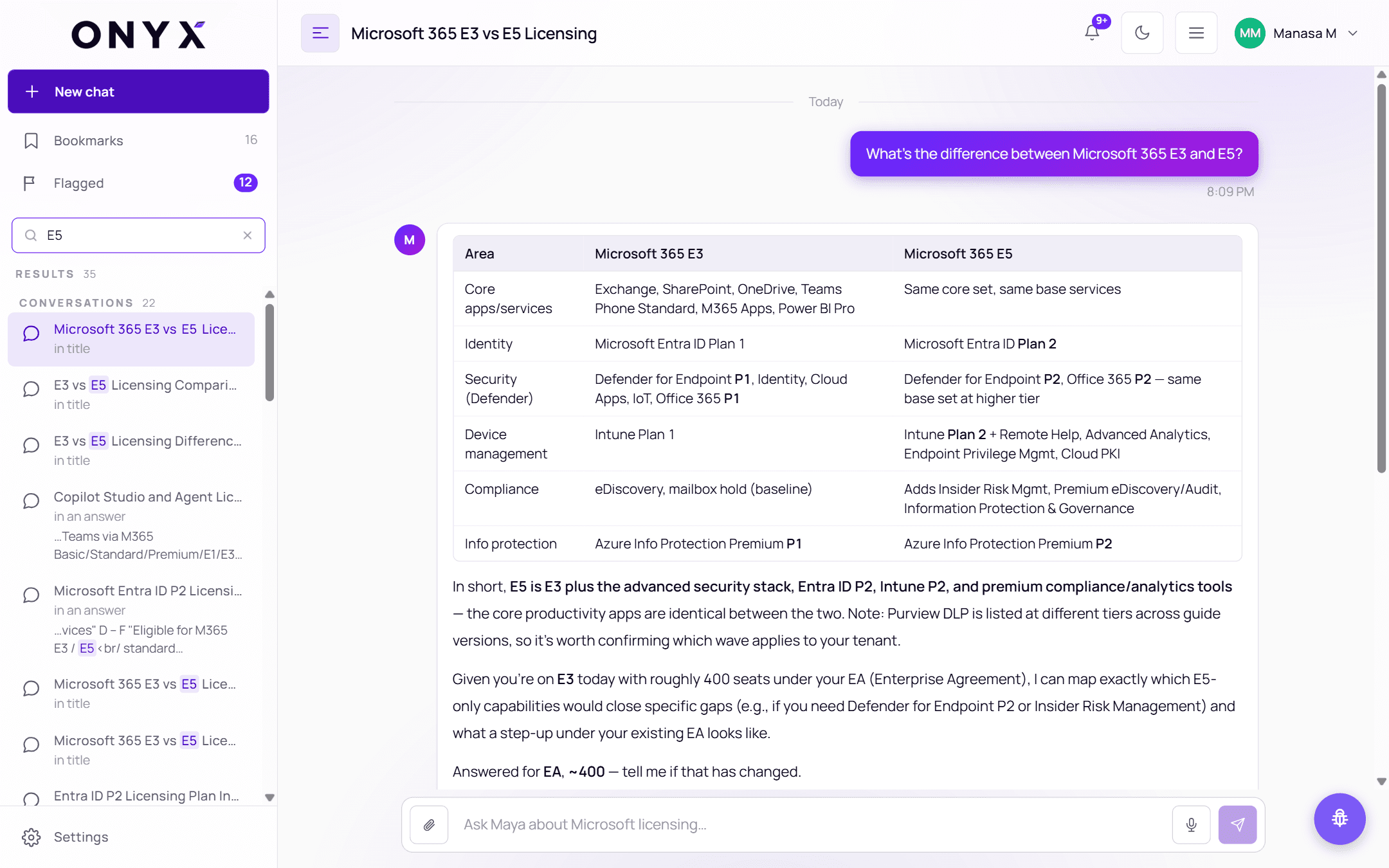
Results replace the history list, with a total count, grouped into Conversations, Bookmarks and Flagged. Each result says where the match was — in title or in an answer — with your search words highlighted. Use the arrow keys and Enter, or click, to open one. Click ✕ (Clear search) to go back to your history.