
Reading an answer
Sources, tables and diagrams, follow-up suggestions, and the actions under every answer.
While Maya is working
Instead of a blank wait, Maya tells you what she's doing:
- Reading your question…
- Checking Microsoft's licensing terms…
- Thinking through 3 parts — … then Researched 2 of 3 parts…
- Composing your answer…
The answer then streams in word by word.
Sources
Every answer that relied on the knowledge base ends with a Sources row — the documents it drew on, such as Microsoft's licensing guides, with their dates in the name.
- Sources are always shown, under the answer, not hidden behind a click.
- File names aren't repeated inside the answer text; the answer refers to "Microsoft's Product Terms" and similar.
- Files you attached appear as "Your file: …".
- No sources means Maya made no factual claims — she asked you a question, or handed your question to a specialist.
Watch the dates
Licensing changes. A source dated a year or more ago may have been superseded — if the date matters, ask Maya whether anything has changed, or flag the answer for a specialist.
Formatting
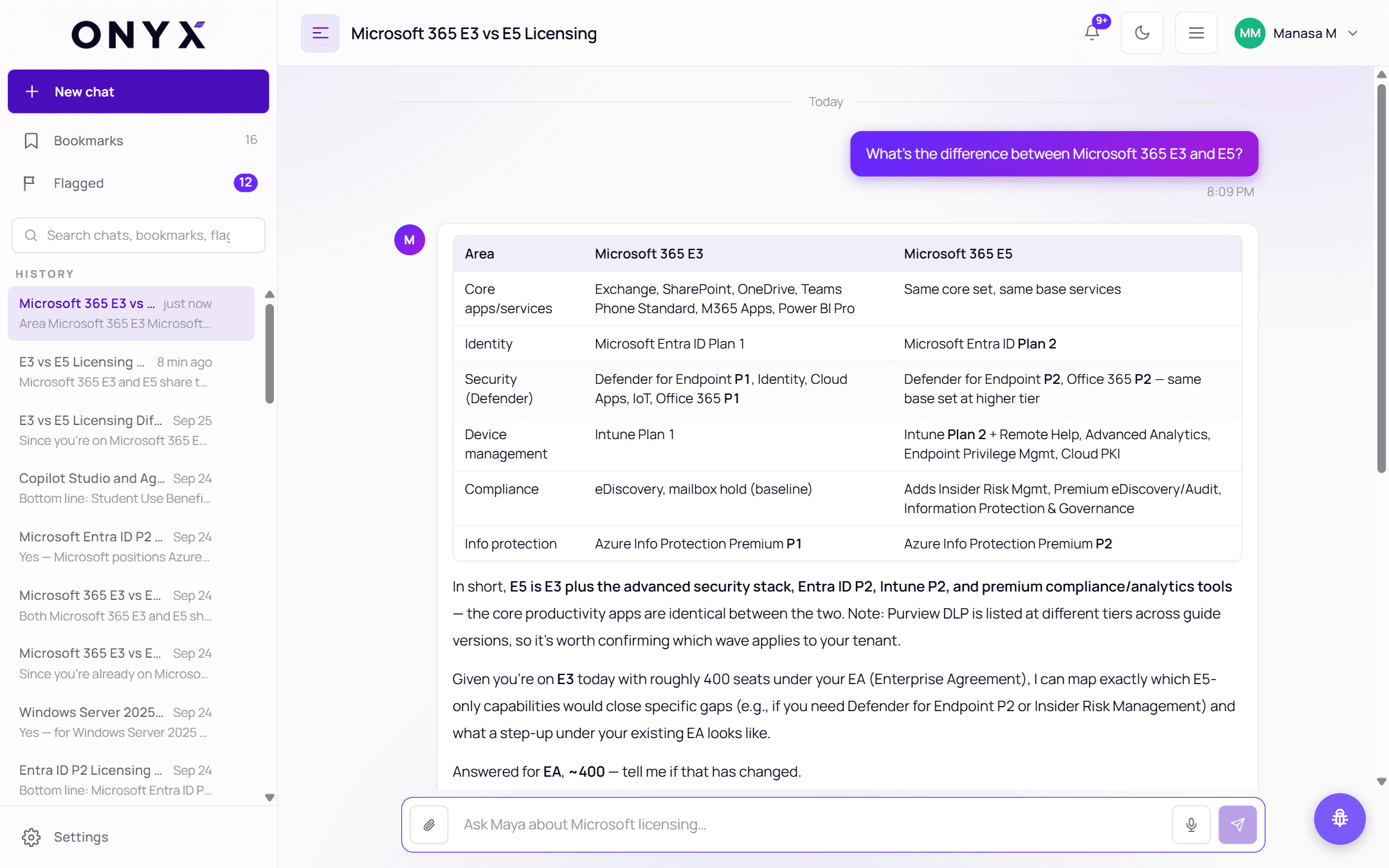
Answers use whatever makes them clearest:
- Tables for comparisons (E3 vs E5, EA vs CSP)
- Diagrams for flows and dependencies
- Headings, lists and bold text for longer explanations
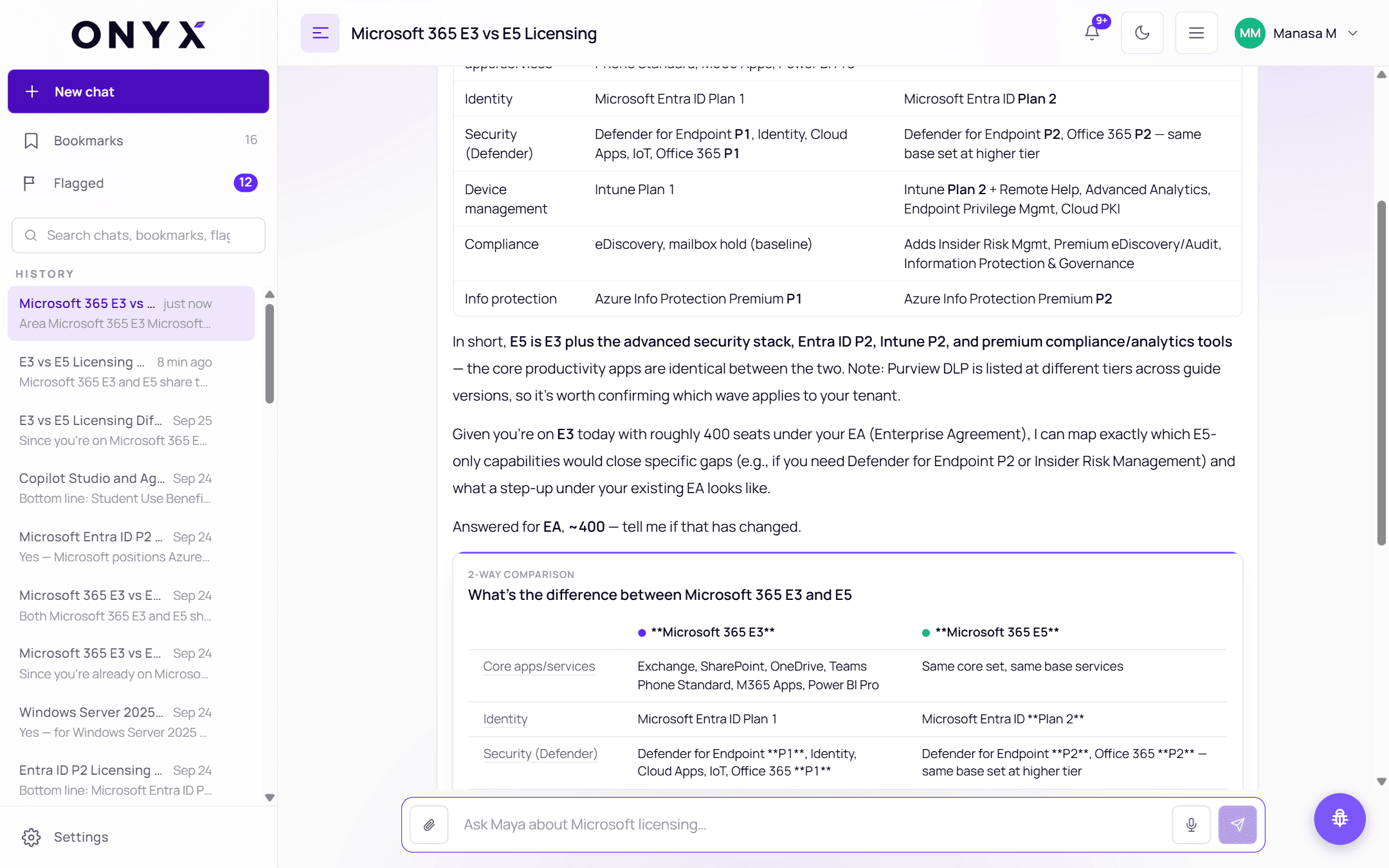
Comparison and flow cards
For comparisons, step-by-step decisions and figures, Maya can add an interactive card under the answer — for example a 2-way comparison of two plans, or a flow such as "Identify who is accessing the server → Classify anyone else → Choose your licensing route". Switch a chart between Bars, Columns and Table, and click a row, bar or step to ask Maya about it as a follow-up.
The card is part of the answer, so the same sources back it.
Maya remembers your situation
Tell Maya about your organisation — your agreement, roughly how many seats, what you already own, your sector — and she'll remember it for later chats, so you don't have to repeat it. When an answer relies on something she remembered, she says so, for example:
Answered for EA, ~400 — tell me if that has changed.
If anything has changed, just tell her ("we moved to CSP last month") and she'll use the new details from then on. What she remembers is only ever used as context — it's never cited as a source.
The actions under an answer
| Control | What it does |
|---|---|
| Time | When the answer was given |
| Copy | Copies the answer's text |
| 👍 Helpful / 👎 Not helpful | Rate the answer — see Feedback & flags |
| 🚩 Flag for a specialist | Ask an Onyx specialist to check it |
| 🔖 Bookmark this answer | Save it, with an optional note — see Bookmarks |
These are always visible, including on touch screens.
Ask next
Under the newest answer, Ask next offers suggested follow-up questions. Click one to ask it. They're just suggestions — you can always type your own.
Questions asked from Claude or ChatGPT
If you've connected SupportHub to Claude or ChatGPT, questions you ask there appear in your SupportHub history too. They're shown with a lighter bubble and labelled with the app they came from, so you can tell them apart from questions you typed here.