
Integrations
Connect Microsoft Partner Center so the Partner Assistant can work with your CSP customers and subscriptions.
Settings → Integrations — Integrations & Connections — is where organisation admins connect external cloud service providers, Microsoft CSP Partner Center, and telemetry sources.
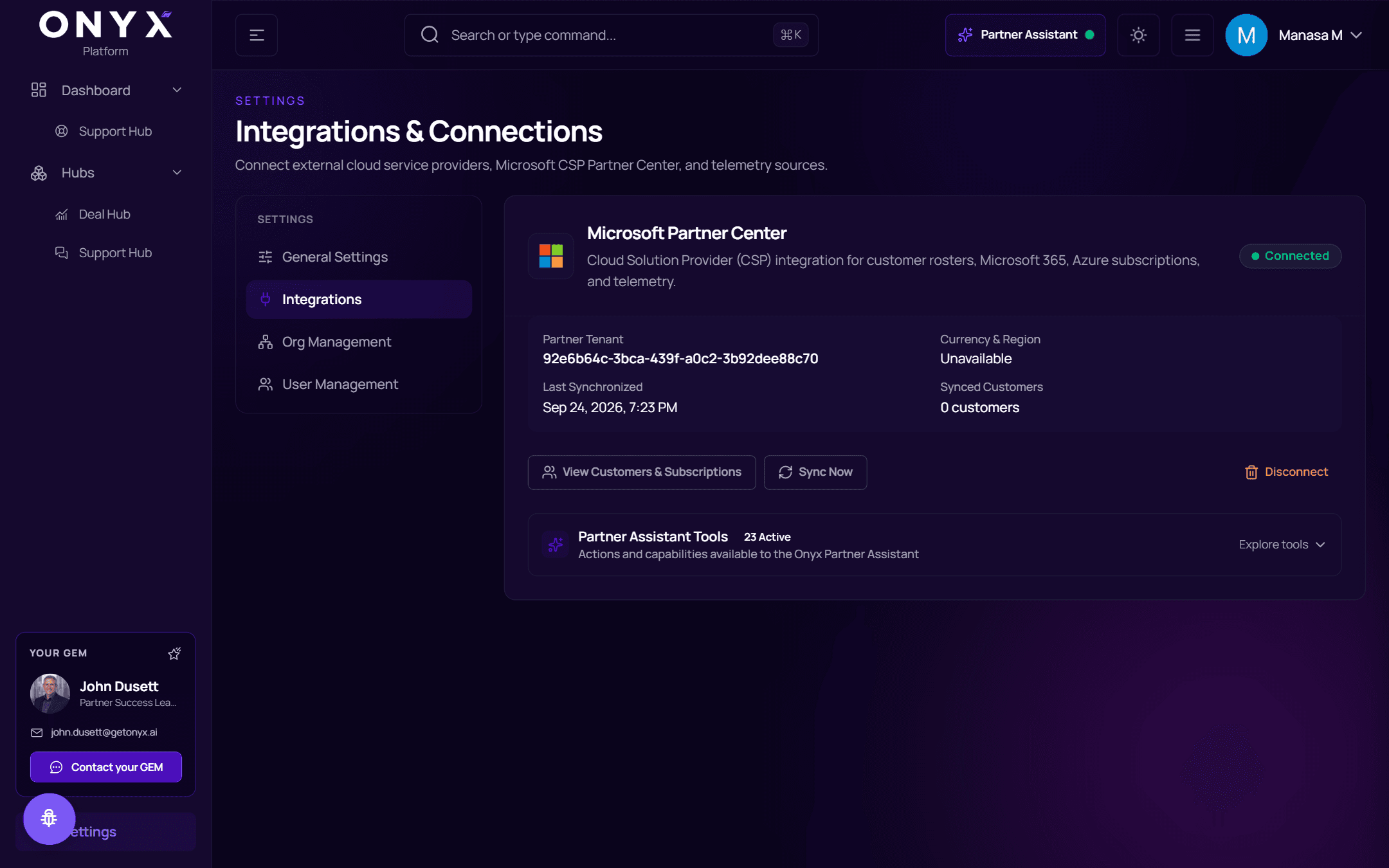
Microsoft Partner Center
The Cloud Solution Provider (CSP) integration for customer rosters, Microsoft 365, Azure subscriptions, and telemetry. It powers the Partner Assistant.
| Status | Meaning |
|---|---|
| Not Connected | Ready to connect |
| Connected | Working |
| Action Required | Re-authentication required — reconnect |
Connect
Choose Connect Partner Center.
Sign in with a Microsoft Entra ID admin account with multi-factor authentication (MFA) and approve access.
You're returned to Platform and the first sync starts — Synchronization in progress.
Only organisation administrators can connect or re-authenticate integrations.
Once connected
The card shows the Partner Tenant, Currency & Region, when it was Last Synchronized and how many Synced Customers there are.
| Action | Does |
|---|---|
| View Customers & Subscriptions | Browse the synced customers and their subscriptions |
| Sync Now | Refresh customers, subscriptions and telemetry now |
| Disconnect | Remove the connection (asks you to confirm) |
Partner Assistant Tools — actions and capabilities available to the Onyx Partner Assistant — lists everything the assistant can do with this data; choose Explore tools to see them.
If Microsoft denies access to the customer roster, reconnect with an authorised Partner Center account.