
Support Hub usage
See how your organisation and the customers you manage are using Support Hub.
Dashboard → Support Hub shows usage across your organisation and the customers you manage. It's available to organisation administrators.
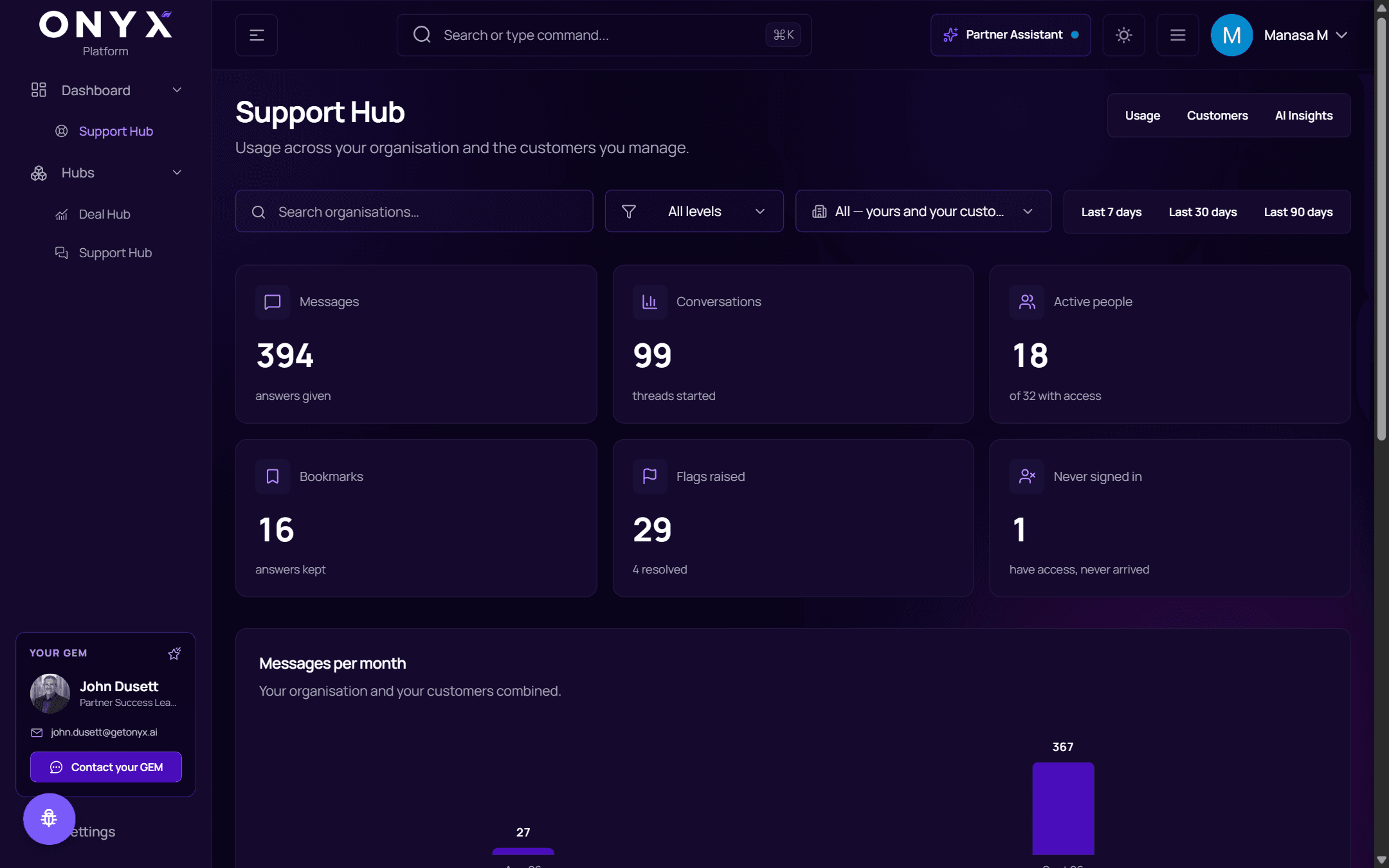
Filters
- Search organisations… — find one organisation
- All levels — narrow to a level of your hierarchy
- All — yours and your customers — your own organisation, your customers, or both
- Last 7 days, Last 30 days, Last 90 days
Usage
| Tile | |
|---|---|
| Messages | Answers given |
| Conversations | Threads started |
| Active people | Of everyone with access |
| Bookmarks | Answers kept |
| Flags raised | And how many were resolved |
| Never signed in | People who have access but never arrived |
Below: Messages per month, Answer outcomes (answered, needed a clarification, no sourced answer, sent to Onyx Q&A), Where the volume came from (by organisation, busiest first), Flagged answers, How answers landed and Daily volume.
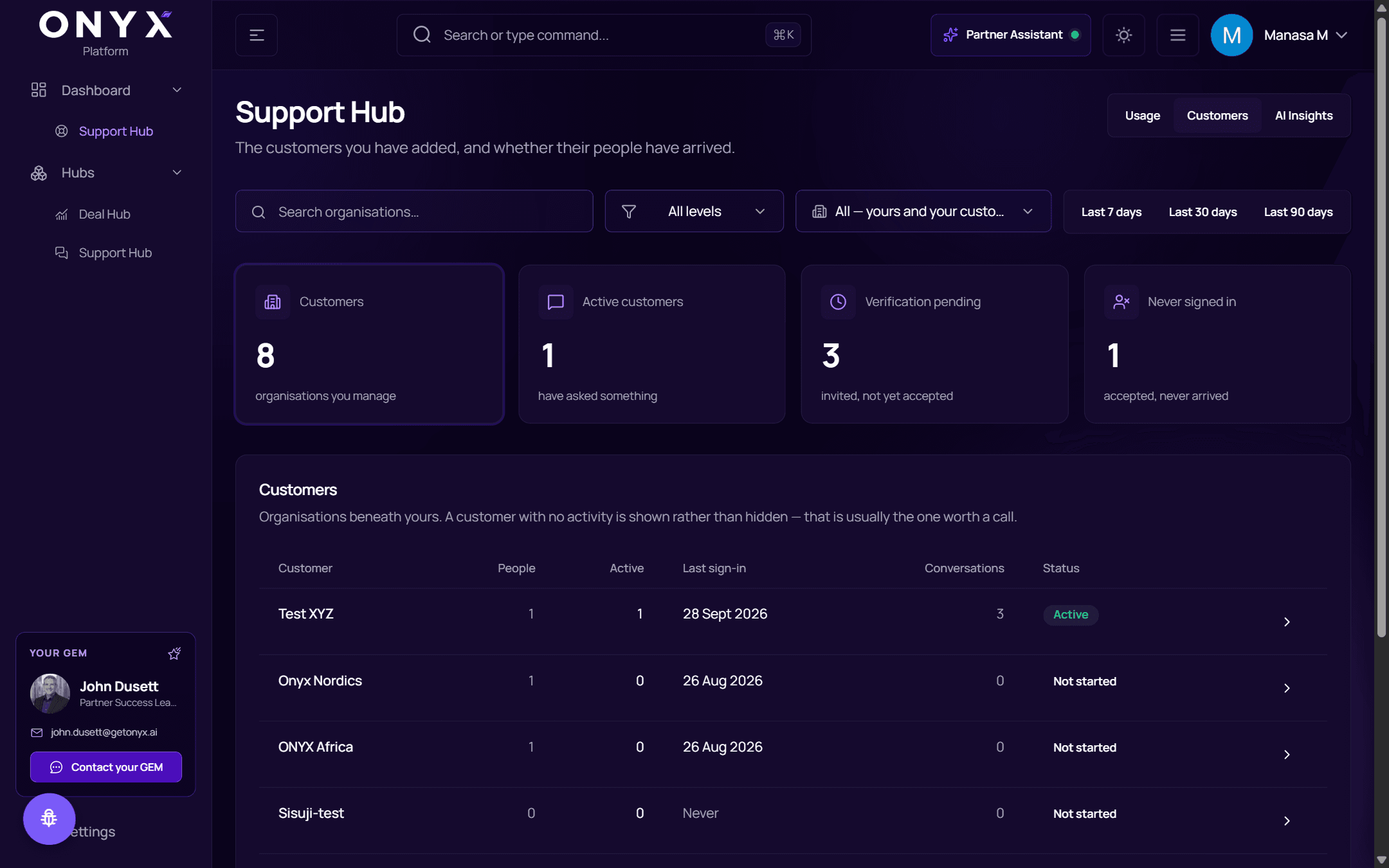
Customers
The customers you have added, and whether their people have arrived — each customer's people, active count, last sign-in and status.
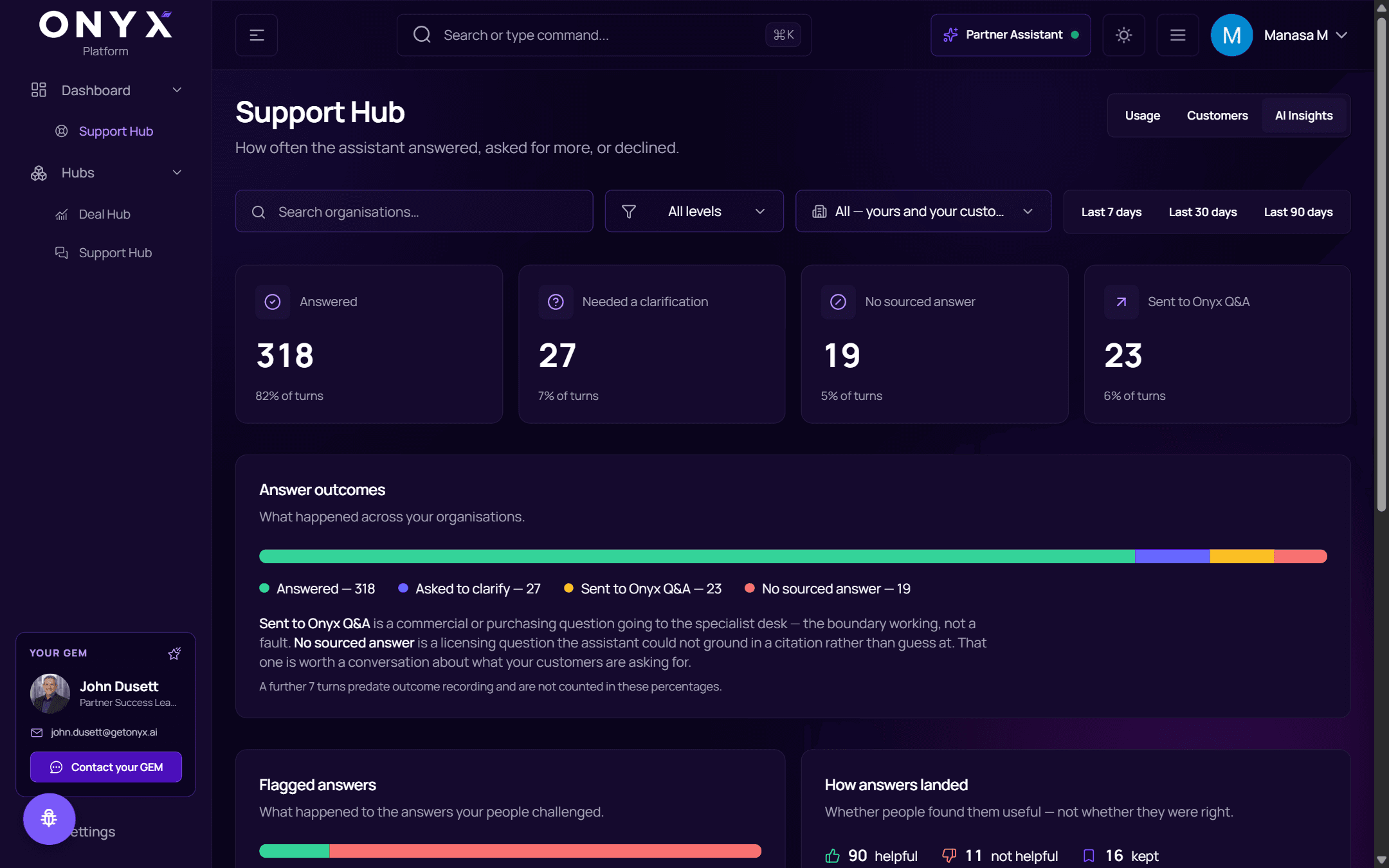
AI Insights
How often the assistant answered, asked for more, or declined.
If Support Hub can't be reached you'll see Usage data is unavailable. That isn't the same as no activity — nothing has been counted either way.